
CyberGhost - Password Manager1.0.0 - Google Play
You'll be able to see results in few seconds.
Publisher Description
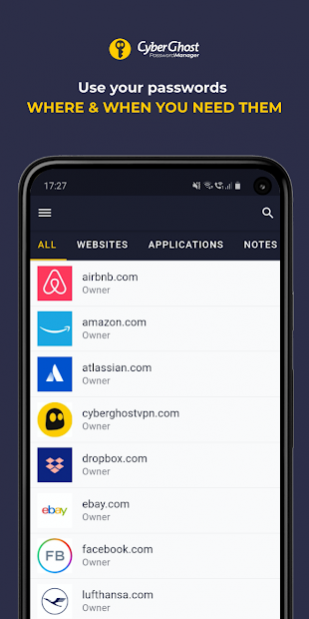

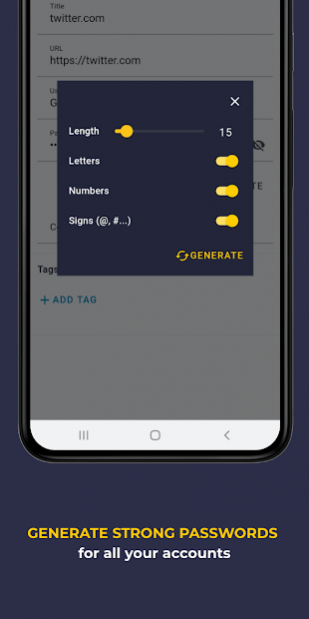

Unburden your memory, fortify the security of your online accounts, and never waste time on failed login attempts with CyberGhost Password Manager. Store all your essential passwords in an encrypted, super-secure, and hacker-free place.
Life’s better with CyberGhost Password Manager:
Let CyberGhost Password Manager generate, remember, and fill-in your passwords automatically, regardless of how many accounts you register or from which device you’re attempting to login.
- Generate unbreakable passwords quick & easy
- Instantly login to your online accounts with our Login Autofill feature
- Import Chrome saved passwords
- Store an unlimited number of passwords
- Track every change you make to your passwords and notes
- Filter passwords based on title or date
- Better organize, find, and use passwords by assigning tags
Keep your accounts safe with next-level password security:
- Unrivaled encryption duo
The combination of AES-256 symmetric encryption and RSA-4096 asymmetric encryption guarantees that your data is securely encrypted before leaving your device.
- Secure authentication
CyberGhost Password Manager uses two-factor authentication as an additional security login layer. Its SRP 6A protocol allows you to eliminate the risk of getting your data intercepted while you authenticate with the server.
- Zero-knowledge proof
This one-of-a-kind security solution makes it possible for you to demonstrate knowledge of your password without actually revealing it.
Powered by 16 years of privacy expertise:
Developed by the team behind one of the most-appreciated VPN services – CyberGhost VPN -, the Password Manager with the same name promises an unchanging privacy-oriented approach for your data as well as the accustomed elite security features, and user-friendly interface.
About CyberGhost - Password Manager
The company that develops CyberGhost - Password Manager is CyberGhost SA. The latest version released by its developer is 1.0.0.
To install CyberGhost - Password Manager on your Android device, just click the green Continue To App button above to start the installation process. The app is listed on our website since 2021-01-07 and was downloaded 0 times. We have already checked if the download link is safe, however for your own protection we recommend that you scan the downloaded app with your antivirus. Your antivirus may detect the CyberGhost - Password Manager as malware as malware if the download link to com.cyberghost.cyberghost_mobile is broken.
How to install CyberGhost - Password Manager on your Android device:
- Click on the Continue To App button on our website. This will redirect you to Google Play.
- Once the CyberGhost - Password Manager is shown in the Google Play listing of your Android device, you can start its download and installation. Tap on the Install button located below the search bar and to the right of the app icon.
- A pop-up window with the permissions required by CyberGhost - Password Manager will be shown. Click on Accept to continue the process.
- CyberGhost - Password Manager will be downloaded onto your device, displaying a progress. Once the download completes, the installation will start and you'll get a notification after the installation is finished.
Program Details
System requirements
Download information
Pricing
Version History
version 1.0.0
posted on 2021-01-07
Hi Ghosties,
In this update we did some under-the-hood work and chased away some bugs to make your experience with us so much smoother.
There's more where these goodies came from, so make sure to keep an eye on us.
Stay safe and secure!
Disclaimer
Official Google Play Link
We do not host CyberGhost - Password Manager on our servers. We did not scan it for viruses, adware, spyware or other type of malware. This app is hosted by Google and passed their terms and conditions to be listed there. We recommend caution when installing it.
The Google Play link for CyberGhost - Password Manager is provided to you by apps112.com without any warranties, representations or guarantees of any kind, so access it at your own risk.
If you have questions regarding this particular app contact the publisher directly. For questions about the functionalities of apps112.com contact us.
